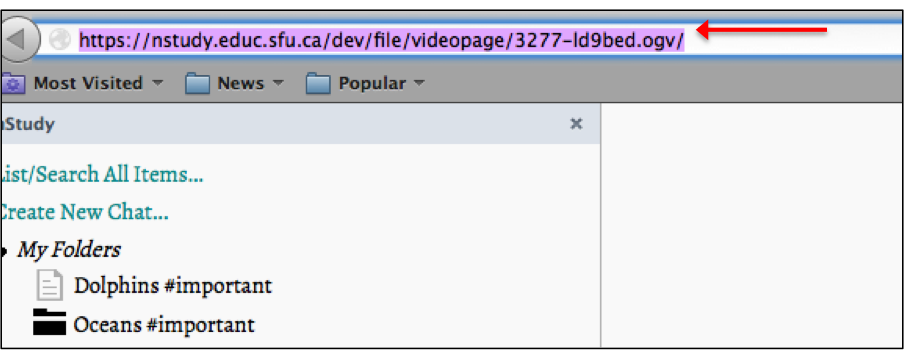
- Paste the video URL into the Firefox address bar and press enter/return
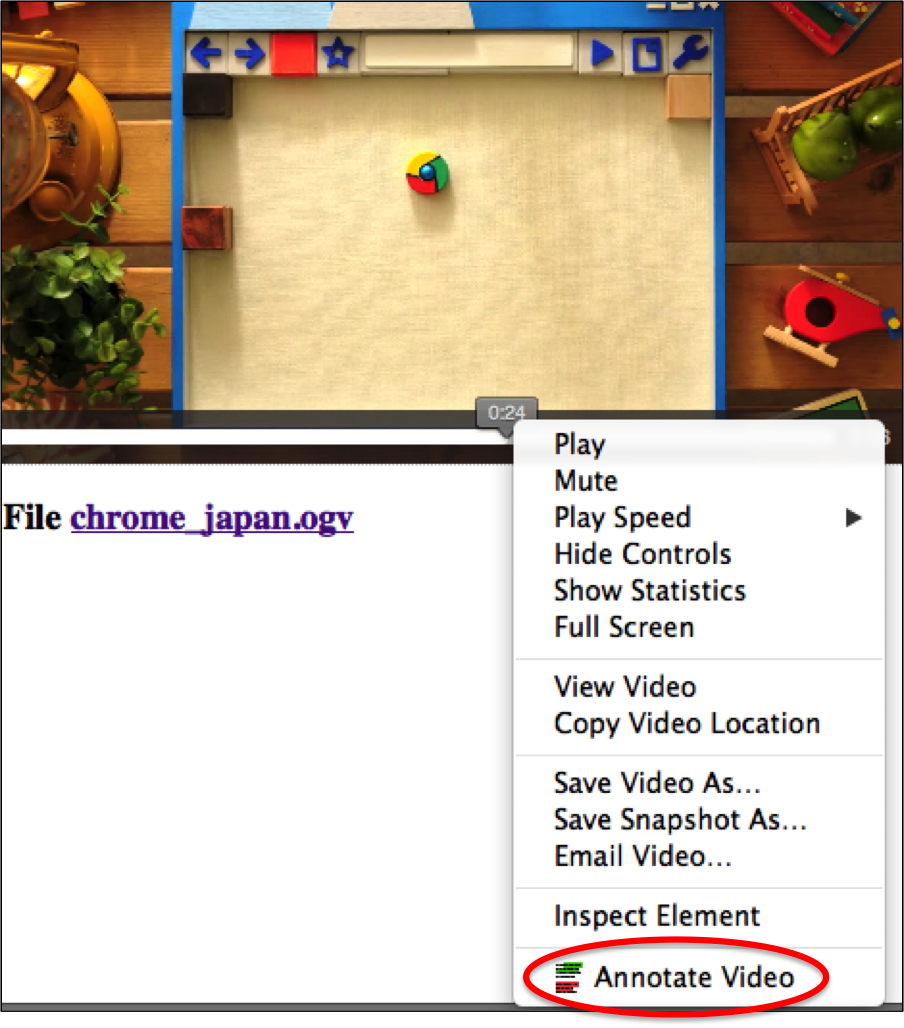
- Play video
- Pause video at a point where you want to annotate
- Mod-click and choose “ Annotate video ” from the popup menu
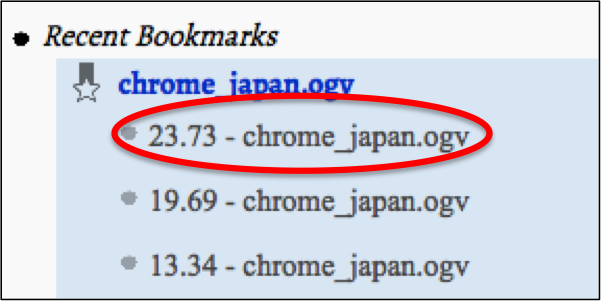
- The videomark will appear in the nStudy panel under the video it was created from